
Free Tax Buttons for Your Website
Ten free button designs that send your visitors to plain-English Canadian tax answers. Pick one, click Copy code, paste it into your website. Step-by-step directions included.
I built this site because I went to the CRA website with what I thought was a simple question and came out with twelve open tabs and no answer. If that happened to me, it is happening to the people who visit your website too.
So here is an easy way to help them. Put one of these buttons on your website. It sends people to free, plain-English answers to Canadian tax questions, with the math and the CRA rule behind every number. It is free for you and free for them. No sign-up, no ads, no fees, and nothing to maintain.
It suits real estate agents, mortgage brokers, accountants and bookkeepers, builders and trades, financial planners, bloggers, newcomer groups, churches and community websites. If your visitors pay taxes in Canada, it fits.
How It Works, in Three Steps
1. Pick a design below. There are ten, from a small footer link to a full banner, because no two websites look the same.
2. Click Copy code. The code is now on your computer’s clipboard.
3. Paste it into your website. Step-by-step directions for WordPress, Wix, Squarespace, Shopify and others are at the bottom of this page.
Not comfortable doing it yourself? Download the whole kit and forward it to whoever looks after your website. It takes them two minutes.
Download all 10 buttons (ZIP) ↓
Pick Your Button
Red button
Bold and simple. Works on almost any website.
<a href="https://canadiantaxes.ai/ask/?utm_source=partner-site&utm_medium=referral&utm_campaign=site-button" target="_blank" rel="noopener" style="display:inline-block;padding:13px 26px;background:#c8102e;color:#ffffff;font-family:Arial,Helvetica,sans-serif;font-size:16px;font-weight:bold;text-decoration:none;border-radius:999px;">Ask a Canadian tax question →</a>

Picture links to: CanadianTaxes.ai · https://canadiantaxes.ai/
Green HST rebate button
For anyone whose visitors buy, build or renovate a home in Ontario.
<a href="https://ontariohstrebates.ca/?utm_source=partner-site&utm_medium=referral&utm_campaign=site-button" target="_blank" rel="noopener" style="display:inline-block;padding:13px 26px;background:#0f7a55;color:#ffffff;font-family:Arial,Helvetica,sans-serif;font-size:16px;font-weight:bold;text-decoration:none;border-radius:999px;">Check my Ontario HST rebate →</a>
Picture links to: OntarioHSTRebates.ca · https://ontariohstrebates.ca/
Outline button
Quiet and clean. Good for light, minimal websites.
<a href="https://canadiantaxes.ai/?utm_source=partner-site&utm_medium=referral&utm_campaign=site-button" target="_blank" rel="noopener" style="display:inline-block;padding:11px 22px;background:transparent;color:#0f2238;border:2px solid #0f2238;font-family:Arial,Helvetica,sans-serif;font-size:15px;font-weight:bold;text-decoration:none;border-radius:8px;">Free Canadian tax answers →</a>

Picture links to: CanadianTaxes.ai · https://canadiantaxes.ai/
Footer link
Small and tidy. Made for the bottom of a website, next to your other links.
<a href="https://canadiantaxes.ai/?utm_source=partner-site&utm_medium=referral&utm_campaign=site-button" target="_blank" rel="noopener" style="display:inline-flex;align-items:center;gap:8px;font-family:Arial,Helvetica,sans-serif;font-size:14px;color:#c8102e;text-decoration:none;"><span style="width:22px;height:22px;border-radius:5px;background:#c8102e;display:inline-flex;align-items:center;justify-content:center"><svg width="14" height="14" viewBox="0 0 24 24" aria-hidden="true" style="flex:0 0 14px"><path fill="#ffffff" d="M12 2l1.6 3.3 2.1-.9-.5 4 2.6-2.2.7 1.8 2.5-.4-1 3.1 1.5.9-4.3 3.7.5 1.6-4.2-.7.3 4.8h-1.6l.3-4.8-4.2.7.5-1.6L4.5 12l1.5-.9-1-3.1 2.5.4.7-1.8 2.6 2.2-.5-4 2.1.9z"/></svg></span><span>Free Canadian tax help: <b>CanadianTaxes.ai</b></span></a>

Picture links to: CanadianTaxes.ai · https://canadiantaxes.ai/
Dark badge
Looks like an app badge. Good in a sidebar.
<a href="https://canadiantaxes.ai/?utm_source=partner-site&utm_medium=referral&utm_campaign=site-button" target="_blank" rel="noopener" style="display:inline-flex;align-items:center;gap:14px;max-width:340px;padding:16px 18px;background:#0f2238;color:#ffffff;font-family:Arial,Helvetica,sans-serif;text-decoration:none;border-radius:14px;box-shadow:0 4px 14px rgba(0,0,0,.18);"><span style="flex:0 0 44px;width:44px;height:44px;border-radius:10px;background:#c8102e;display:flex;align-items:center;justify-content:center"><svg width="30" height="30" viewBox="0 0 24 24" aria-hidden="true" style="flex:0 0 30px"><path fill="#ffffff" d="M12 2l1.6 3.3 2.1-.9-.5 4 2.6-2.2.7 1.8 2.5-.4-1 3.1 1.5.9-4.3 3.7.5 1.6-4.2-.7.3 4.8h-1.6l.3-4.8-4.2.7.5-1.6L4.5 12l1.5-.9-1-3.1 2.5.4.7-1.8 2.6 2.2-.5-4 2.1.9z"/></svg></span><span style="display:block;line-height:1.25;text-align:left"><span style="display:block;font-size:12px;letter-spacing:.06em;text-transform:uppercase;opacity:.85">Tax question?</span><span style="display:block;font-size:18px;font-weight:bold;margin:2px 0">Free tax answers</span><span style="display:block;font-size:13px;opacity:.9">Plain English, with the CRA source</span></span></a>

Picture links to: CanadianTaxes.ai · https://canadiantaxes.ai/
Dark HST badge
The HST rebate check as a badge. Good for home, building and real estate websites.
<a href="https://ontariohstrebates.ca/?utm_source=partner-site&utm_medium=referral&utm_campaign=site-button" target="_blank" rel="noopener" style="display:inline-flex;align-items:center;gap:14px;max-width:340px;padding:16px 18px;background:#13233a;color:#ffffff;font-family:Arial,Helvetica,sans-serif;text-decoration:none;border-radius:14px;box-shadow:0 4px 14px rgba(0,0,0,.18);"><span style="flex:0 0 44px;width:44px;height:44px;border-radius:10px;background:#0f7a55;display:flex;align-items:center;justify-content:center"><svg width="28" height="28" viewBox="0 0 24 24" aria-hidden="true"><path fill="#ffffff" d="M12 3L2 11.5h3V21h5.5v-6h3v6H19v-9.5h3z"/></svg></span><span style="display:block;line-height:1.25;text-align:left"><span style="display:block;font-size:12px;letter-spacing:.06em;text-transform:uppercase;opacity:.85">Buying a new home?</span><span style="display:block;font-size:18px;font-weight:bold;margin:2px 0">Get your HST back</span><span style="display:block;font-size:13px;opacity:.9">Free Ontario rebate check, 2 minutes</span></span></a>

Picture links to: OntarioHSTRebates.ca · https://ontariohstrebates.ca/
Question box
Looks like a search box, so people know to type a question. Takes them straight to the question page.
<a href="https://canadiantaxes.ai/ask/?utm_source=partner-site&utm_medium=referral&utm_campaign=site-button" target="_blank" rel="noopener" style="display:flex;align-items:center;justify-content:space-between;gap:10px;max-width:440px;padding:6px 6px 6px 16px;background:#ffffff;border:2px solid #0f2238;border-radius:12px;font-family:Arial,Helvetica,sans-serif;text-decoration:none;box-shadow:0 2px 8px rgba(0,0,0,.08);"><span style="font-size:15px;color:#6b7785">Ask a Canadian tax question...</span><span style="padding:10px 18px;background:#c8102e;color:#ffffff;font-size:15px;font-weight:bold;border-radius:8px">Ask</span></a>

Picture links to: CanadianTaxes.ai · https://canadiantaxes.ai/ask/
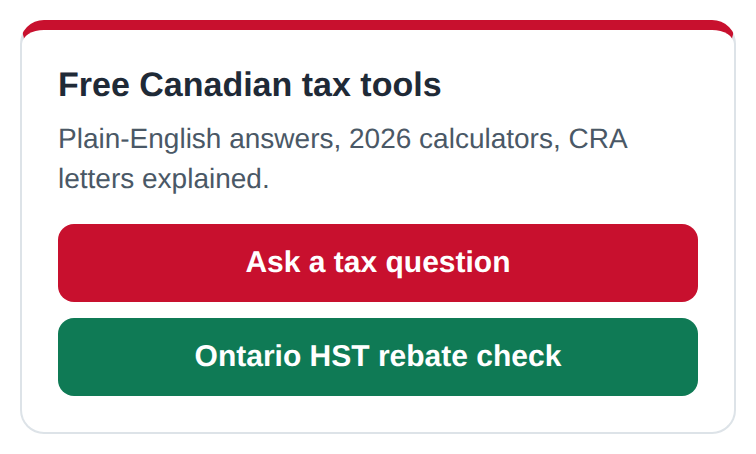
Light card
A white box with both tools. For light websites with a sidebar.
<div style="max-width:320px;padding:18px;background:#ffffff;border:1px solid #dde3e8;border-top:5px solid #c8102e;border-radius:12px;font-family:Arial,Helvetica,sans-serif;color:#1f2a37;"><div style="font-size:17px;font-weight:bold;margin:0 0 6px">Free Canadian tax tools</div><div style="font-size:14px;line-height:1.45;margin:0 0 12px;color:#4a5866">Plain-English answers, 2026 calculators, CRA letters explained.</div><a href="https://canadiantaxes.ai/ask/?utm_source=partner-site&utm_medium=referral&utm_campaign=site-button" target="_blank" rel="noopener" style="display:block;margin:0 0 8px;padding:11px 14px;background:#c8102e;color:#ffffff;font-size:15px;font-weight:bold;text-decoration:none;border-radius:8px;text-align:center;">Ask a tax question</a><a href="https://ontariohstrebates.ca/?utm_source=partner-site&utm_medium=referral&utm_campaign=site-button" target="_blank" rel="noopener" style="display:block;padding:11px 14px;background:#0f7a55;color:#ffffff;font-size:15px;font-weight:bold;text-decoration:none;border-radius:8px;text-align:center;">Ontario HST rebate check</a></div>
Picture links to: CanadianTaxes.ai · https://canadiantaxes.ai/
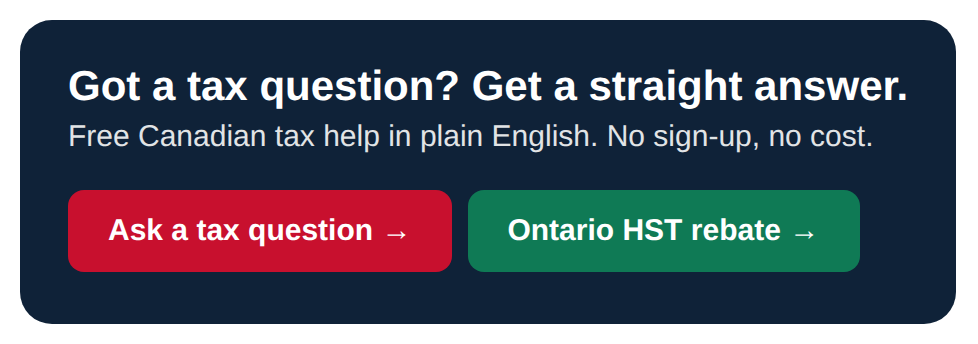
Wide banner
A full-width strip for a home page or a blog post. Shrinks to fit a phone.
<div style="max-width:760px;padding:22px 24px;background:#0f2238;border-radius:16px;font-family:Arial,Helvetica,sans-serif;color:#ffffff;"><div style="font-size:21px;font-weight:bold;margin:0 0 4px">Got a tax question? Get a straight answer.</div><div style="font-size:15px;opacity:.88;margin:0 0 14px">Free Canadian tax help in plain English. No sign-up, no cost.</div><a href="https://canadiantaxes.ai/ask/?utm_source=partner-site&utm_medium=referral&utm_campaign=site-button" target="_blank" rel="noopener" style="display:inline-block;margin:4px 8px 4px 0;padding:12px 20px;background:#c8102e;color:#ffffff;font-size:15px;font-weight:bold;text-decoration:none;border-radius:8px;">Ask a tax question →</a><a href="https://ontariohstrebates.ca/?utm_source=partner-site&utm_medium=referral&utm_campaign=site-button" target="_blank" rel="noopener" style="display:inline-block;margin:4px 8px 4px 0;padding:12px 20px;background:#0f7a55;color:#ffffff;font-size:15px;font-weight:bold;text-decoration:none;border-radius:8px;">Ontario HST rebate →</a></div>
Picture links to: CanadianTaxes.ai · https://canadiantaxes.ai/
Square ad (300 x 250)
The standard ad size. Fits most sidebars and ad spots exactly.
<a href="https://canadiantaxes.ai/?utm_source=partner-site&utm_medium=referral&utm_campaign=site-button" target="_blank" rel="noopener" style="display:block;width:300px;height:250px;box-sizing:border-box;padding:22px;background:#0f2238;border-radius:14px;font-family:Arial,Helvetica,sans-serif;color:#ffffff;text-decoration:none;"><span style="display:flex;align-items:center;gap:10px;font-size:15px;font-weight:bold;margin:0 0 12px"><span style="width:36px;height:36px;border-radius:8px;background:#c8102e;display:flex;align-items:center;justify-content:center"><svg width="26" height="26" viewBox="0 0 24 24" aria-hidden="true" style="flex:0 0 26px"><path fill="#ffffff" d="M12 2l1.6 3.3 2.1-.9-.5 4 2.6-2.2.7 1.8 2.5-.4-1 3.1 1.5.9-4.3 3.7.5 1.6-4.2-.7.3 4.8h-1.6l.3-4.8-4.2.7.5-1.6L4.5 12l1.5-.9-1-3.1 2.5.4.7-1.8 2.6 2.2-.5-4 2.1.9z"/></svg></span>CanadianTaxes.ai</span><span style="display:block;font-size:21px;font-weight:bold;line-height:1.2;margin:0 0 6px">Tax question? Ask it in plain English.</span><span style="display:block;font-size:13px;line-height:1.4;opacity:.88;margin:0 0 14px">Free answers with the math and the CRA source. Free 2026 calculators.</span><span style="display:inline-block;padding:10px 18px;background:#c8102e;border-radius:8px;font-size:15px;font-weight:bold">Ask a tax question →</span></a>

Picture links to: CanadianTaxes.ai · https://canadiantaxes.ai/
How to Put a Button on Your Website
First click Copy code under the design you like. Then follow the steps for your website below. Not sure what your website is built with? Ask whoever made it, or send them this page.
WordPress (most websites)
- Log in to your website (usually yoursite.com/wp-admin).
- Click Pages on the left, then click the page where you want the button.
- Click where you want it, then click the + (Add block) button.
- Type Custom HTML in the search box and click it.
- Click inside the empty box and paste: Ctrl+V on Windows, Command+V on a Mac.
- Click Update (top right). Done.
Want it in the sidebar or footer instead? Go to Appearance > Widgets, click the +, pick Custom HTML, paste, click Update. Using the old Classic editor? Click the Text tab (not Visual) and paste there.
Wix
- Open your site in the Wix Editor.
- Click Add Elements (the + on the left), then Embed Code, then Embed HTML.
- Click Enter Code, make sure Code is selected, and paste.
- Click Update, drag the box where you want it, then click Publish.
If part of the button is cut off, drag the corner of the box to make it bigger.
Squarespace
- Go to the page and click Edit.
- Click Add Block (or the + sign), then choose Code.
- Delete the sample text in the box and paste.
- Click outside the box, then click Save.
Shopify
- Go to Online Store > Themes and click Customize.
- Click Add section, then choose Custom Liquid.
- Paste into the box and click Save.
GoDaddy Website Builder
- Click Edit Website.
- Click the + where you want it, search for HTML, and add that section.
- Paste into the Custom Code box, click Done, then Publish.
Weebly or Square Online
- Drag the Embed Code element onto your page.
- Click it, choose Edit Custom HTML, and paste.
- Click outside the box and Publish.
Website will not take code? Use the picture
- Click Download as a picture (PNG) under the design you like.
- Add it to your website as a normal picture.
- Click the picture and look for Link (often a chain icon). Paste the address shown under the design, for example https://canadiantaxes.ai/.
- Turn on Open in a new tab if you see that option, then save.
In your email signature (Gmail)
- In Gmail, click the gear (top right), then See all settings.
- Scroll down to Signature. Click the picture icon and choose Web Address (URL).
- Paste the picture address. To get it, right-click Download as a picture (PNG) under your design and choose Copy Link Address.
- Click the picture in your signature, click the link (chain) icon, paste https://canadiantaxes.ai/, and click Save Changes at the bottom.
Questions?
If a button does not look right on your website, or you would like one in your own colours, send me a note. I read every one. And if you put a button up, tell me. I would like to see it.
Harvey Juric